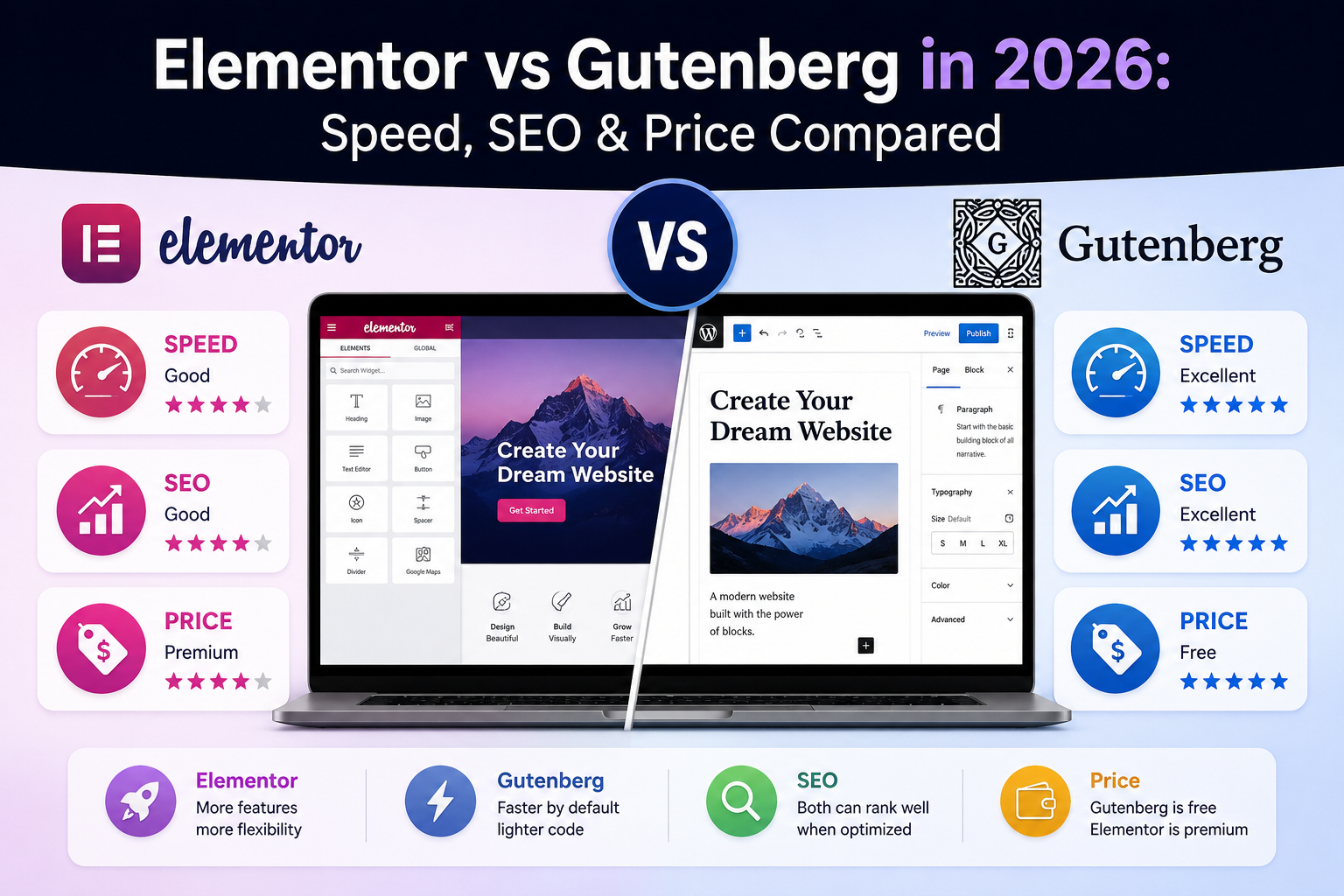
Choosing the right page builder is one of the most important decisions when building a WordPress website in 2026. The wrong choice can slow down your site, limit your SEO potential, and create technical debt that is expensive to fix later.
Two names dominate the space: Elementor and Gutenberg.
Both are powerful. Both are widely used. But they serve fundamentally different purposes and have very different trade-offs in terms of performance, flexibility, and long-term scalability.
In this guide, you will learn the real differences, detailed pros and cons, and which builder is the better choice depending on your specific goals and project type.
If you want a professionally built and optimized website without testing everything yourself, check Nitramix.
In this guide you will learn:
- What Gutenberg and Elementor are and how they work
- A detailed side-by-side comparison across 6 key criteria
- When to use Elementor and when to use Gutenberg
- The pro strategy that combines both for maximum results
- Common mistakes to avoid when choosing a page builder
What is Gutenberg?
Gutenberg is the default WordPress block editor, built directly into WordPress core since version 5.0. It has evolved massively since its initial release and is no longer just a basic content editor.
In 2026, Gutenberg supports Full Site Editing (FSE), meaning you can design headers, footers, templates, and entire page layouts using blocks - without any third-party plugin.
Key features:
- Native WordPress editor - no plugin installation needed
- Block-based design system with reusable block patterns
- Extremely fast performance with minimal added code
- Full Site Editing support for complete theme customization
- Growing library of core and third-party blocks
- Active development by the WordPress core team
What is Elementor?
Elementor is a visual drag-and-drop page builder plugin with over 5 million active installations. It allows you to design pages visually with pixel-level control, without writing any code.
Elementor has its own rendering engine, template system, and design interface that sits on top of WordPress.
Key features:
- Intuitive drag-and-drop builder with real-time visual editing
- Large library of pre-designed templates and blocks
- Advanced animations, effects, and design options
- WooCommerce integration and dynamic content support
- Theme Builder (Pro) for designing headers, footers, and archive pages
- Popup Builder (Pro) for marketing popups and forms
Elementor vs Gutenberg: Side-by-Side Comparison
| Criteria | Gutenberg | Elementor |
|---|---|---|
| Performance | Lightweight, minimal extra code | Heavier, adds CSS/JS frameworks |
| Ease of Use | Slight learning curve | Very beginner friendly |
| Design Flexibility | Structured, extendable | Full pixel-level control |
| SEO Impact | Cleaner HTML, faster loads | Requires optimization |
| Cost | Free (built into WordPress) | Free + Pro ($59-$399/year) |
| Scalability | Excellent for long-term | Can create technical debt |
1. Ease of Use
Elementor is the clear winner for beginners. Its visual drag-and-drop interface shows changes in real time, making it intuitive for people with no coding experience. You can design almost anything by dragging widgets onto the page.
Gutenberg has a slight learning curve, especially for users coming from the classic WordPress editor. However, once you learn the block system, it becomes fast and efficient. The interface is more structured and minimal, which some users prefer.
Winner: Elementor for beginners, Gutenberg for experienced users
2. Performance and Speed
This is where the difference matters most. Performance directly impacts SEO rankings, conversion rates, and user experience.
Gutenberg generates clean, lightweight HTML with minimal additional CSS and JavaScript. Because it is built into WordPress core, there is no extra framework loaded on the frontend.
Elementor loads its own CSS framework, JavaScript libraries, and inline styles on every page. Even with optimization, an Elementor page typically has 30-50% more frontend code than an equivalent Gutenberg page.
Real-world impact:
| Metric | Gutenberg Page | Elementor Page |
|---|---|---|
| HTML size | ~15-30 KB | ~50-120 KB |
| CSS loaded | Theme CSS only | Theme + Elementor CSS |
| JavaScript | Minimal | Elementor JS framework |
| Typical PageSpeed score | 90-100 | 70-90 (optimized) |
Winner: Gutenberg - significantly lighter and faster
For detailed speed optimization strategies, read our WordPress speed optimization guide.
3. Design Flexibility
Elementor offers full control over every aspect of your layout - margins, padding, custom positioning, advanced animations, custom CSS per element, and pixel-perfect responsive design.
Gutenberg is more structured by default. It follows WordPress theme styles and offers less granular control. However, with the Group block, Cover block, and custom block patterns, you can create sophisticated layouts. Third-party block libraries (Spectra, Stackable) extend Gutenberg's design capabilities further.
Winner: Elementor for complex, design-heavy projects
4. SEO Impact
SEO is heavily influenced by page speed and HTML structure - both areas where Gutenberg has clear advantages.
Gutenberg produces cleaner, more semantic HTML that search engines can parse easily. Combined with faster load times, Gutenberg pages tend to score better on Core Web Vitals, which Google uses as a ranking factor.
Elementor can still rank well, but requires careful optimization - removing unused widgets, enabling asset optimization in Elementor settings, and using a caching plugin. Without these steps, Elementor pages may underperform in search rankings compared to equivalent Gutenberg pages.
Winner: Gutenberg for SEO-focused sites
5. Customization and Scalability
Elementor is excellent for quick builds and marketing pages where visual impact matters more than long-term maintainability. However, Elementor-built sites can become harder to maintain over time - you are locked into Elementor's ecosystem, and migrating away means rebuilding every page.
Gutenberg content is stored as standard WordPress blocks. If you switch themes or builders in the future, your content remains accessible. This makes Gutenberg the better choice for sites that need to evolve over time.
Winner: Gutenberg for long-term scalability, Elementor for rapid prototyping
6. Cost
Gutenberg is completely free - it is part of WordPress core.
Elementor has a limited free version. The Pro version costs $59-$399/year depending on the number of sites. Key features like Theme Builder, Popup Builder, and WooCommerce widgets are Pro-only.
Winner: Gutenberg
When to Use Elementor
Elementor is the better choice if:
- You want full visual design control without writing code
- You are building landing pages or marketing campaign pages
- You need fast visual results for client projects or MVPs
- You want advanced UI elements like animated counters, sliders, or popups
- Design uniqueness is more important than maximum performance
Perfect for:
- Marketing websites and agency portfolios
- Landing pages and sales funnels
- Freelancers building client sites quickly
- Quick MVPs that need to launch fast
When to Use Gutenberg
Gutenberg is the better choice if:
- Performance and page speed are top priorities
- You want a clean, scalable site that is easy to maintain long-term
- You are building a blog, content site, or SEO-focused platform
- You want the native WordPress experience with no plugin dependency
- You are planning for long-term growth and potential redesigns
Perfect for:
- Blogs and content-driven platforms
- SaaS websites and product landing pages
- SEO-focused sites targeting organic traffic
- Business websites prioritizing speed and conversions
Real World Recommendation (2026)
If you want the honest answer:
- Use Gutenberg for performance, SEO, and long-term scalability
- Use Elementor for design-heavy projects and quick visual builds
Pro strategy used by professionals: Combine both.
- Use Gutenberg for core pages, blog posts, and content
- Use Elementor only for specific landing pages where visual impact is critical
This gives you the best of both worlds - fast core pages that rank well, with visually rich landing pages where design matters most.
If you are building a WordPress site from scratch and want to get the full picture, read our complete guide to building a WordPress site in 2026.
Performance Tip (Most People Ignore This)
Even if you use Elementor, actual site performance depends heavily on:
- Hosting quality - a premium host makes any builder faster
- Image optimization - uncompressed images are the #1 speed killer
- Caching configuration - WP Rocket or LiteSpeed Cache properly configured
- CDN usage - Cloudflare or BunnyCDN for global content delivery
A poorly optimized Gutenberg site can be slower than a well-optimized Elementor site. The builder is important, but it is not the only factor.
If you want your site to be fast and properly optimized regardless of which builder you use, check Nitramix.
Common Mistakes to Avoid
- Installing both Elementor and another page builder - pick one and commit to it
- Using heavy pre-made templates without removing unused elements and widgets
- Ignoring mobile performance - always test on real mobile devices, not just responsive preview
- Not optimizing images before uploading - this causes more speed issues than any builder
- Choosing a builder based only on popularity - choose based on your project requirements
Final Verdict
There is no universal winner between Elementor and Gutenberg. It depends entirely on your goals.
Choose Gutenberg if:
- You want maximum speed and performance
- SEO and organic traffic are priorities
- You are building for the long term
Choose Elementor if:
- You want design freedom and visual control
- You need fast visual building without code
- You are creating landing pages or marketing sites
Need Help Choosing or Building?
If you are not sure which builder is right for your project or you want a professional setup that is optimized from day one, check Nitramix.
We help you:
- Choose the right technology stack for your goals
- Build fast WordPress websites with clean code
- Optimize performance and SEO from the start
- Scale your project as your business grows
Final Thoughts
In 2026, the gap between Elementor and Gutenberg is smaller than ever. Gutenberg has caught up in design capabilities, and Elementor has improved its performance.
The best choice is not about the tool itself. It is about how well the tool matches your project goals - and how well it is implemented.
Choose wisely, optimize properly, and your WordPress site will perform regardless of which builder you pick.